
Most ‘free AI tool’ lists are misleading.
They include tools with a 7-day trial. Tools that ask for a credit card. Tools that give you 3 uses and then lock everything behind a paywall. That is not free — that is a sales funnel.
This list is different. Every tool here has a genuinely useful free plan. No credit card required to start. No trick. You can use all of them today without spending anything.
Some are free forever. Some have upgrade options, which I will mention honestly. But the free tier in each case is enough to get real work done.
Who This Guide Is For
This list is for you if you are new to AI tools and not ready to pay for anything yet. Or if you have tried a few tools but hit paywalls before seeing real value. Or if you want to test AI in your workflow before committing to a subscription.
Every tool here was tested on the free plan. The descriptions below reflect what the free version actually does — not the paid upgrade.
12 Best Free AI Tools for Beginners in 2026
1. ChatGPT — Best Free AI Tool for Writing and Thinking
Free plan: Yes | Credit card needed: No | Unlimited: Mostly (with daily limits on GPT-4o)
ChatGPT is still the most useful free AI tool available in 2026. The free plan gives you access to GPT-4o mini — which handles most everyday tasks well. Writing, research, summarizing, brainstorming, explaining concepts, answering questions — all included at no cost.
The free plan does have one limit: heavy GPT-4o usage hits a daily cap. When that happens, the tool switches to GPT-4o mini automatically. For most beginners, this limit is never a problem.
Best free uses: Writing first drafts. Researching topics. Generating ideas. Explaining complex concepts simply. Answering questions you would normally Google.
Upgrade needed if: You use ChatGPT heavily for work, need image generation, or want consistent GPT-4o access without interruption.
2. Canva AI — Best Free AI Tool for Design
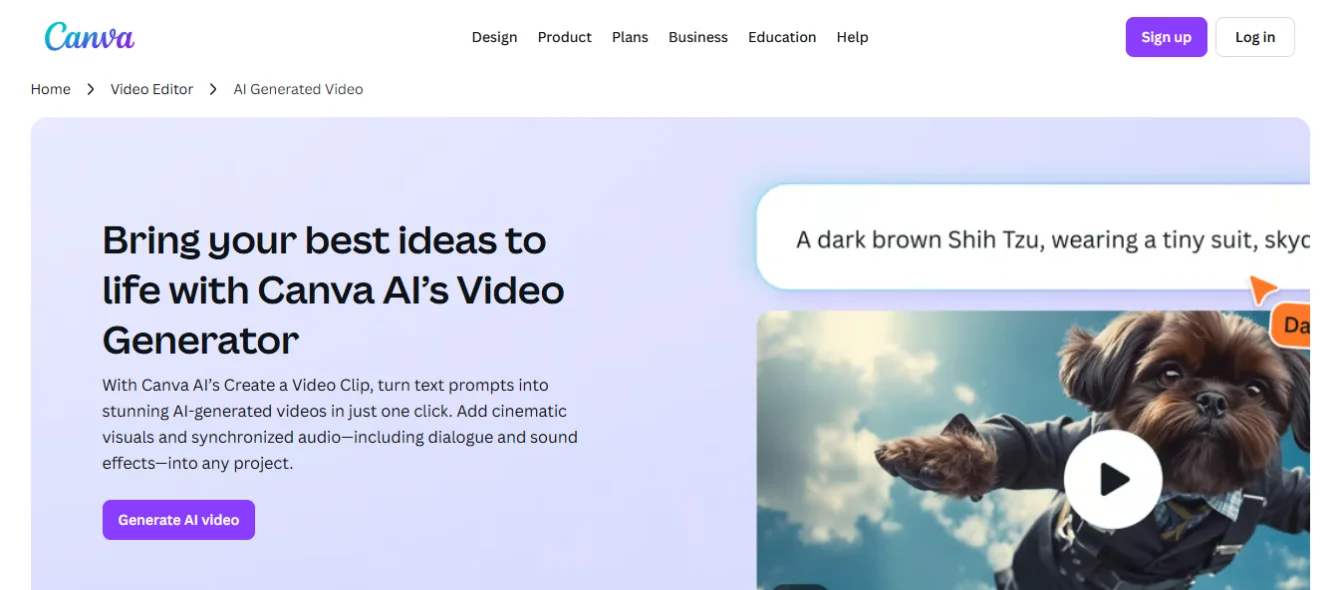
Free plan: Yes | Credit card needed: No | Unlimited designs: Yes on free tier
Canva’s free plan is genuinely generous. You get access to thousands of templates, the basic design editor, limited AI features including Magic Write for text, and the ability to download your designs as PNG, JPG, or PDF.
The AI features on the free plan are more limited than Canva Pro — background removal, for example, requires a paid account. But for a complete beginner creating social media graphics, blog images, or simple presentations, the free plan covers everything you need.
Best free uses: Social media posts. Blog header images. Simple presentations. Flyers. Resume templates. YouTube thumbnails.
Upgrade needed if: You need background removal, brand kits, premium templates, or the Magic Resize feature.
3. Google Gemini — Best Free AI Tool for Research
Free plan: Yes | Credit card needed: No | Google account required: Yes
Gemini is Google’s AI assistant. The free version is capable and fast — it handles research questions, summaries, writing help, and general tasks well. It also connects natively to Google Search, which makes it useful for research that needs current information.
One advantage over ChatGPT free: Gemini’s free plan does not have the same daily usage limits. For users who hit ChatGPT’s free tier caps regularly, Gemini is a practical alternative.
Best free uses: Research with current data. Summarizing long documents. Drafting emails. Explaining concepts. Answering factual questions with source links.
Upgrade needed if: You need advanced image generation, deeper Google Workspace integration, or priority access during peak times.
4. Claude — Best Free AI Tool for Long Documents
Free plan: Yes | Credit card needed: No | Context window: Large on free tier
Claude is built by Anthropic and is particularly good at handling long pieces of text. If you need to summarize a long report, analyze a contract, rewrite a lengthy article, or work with documents that exceed ChatGPT’s context — Claude’s free plan handles this better than most alternatives.
The writing quality on Claude is notably natural. Content it produces tends to sound less generic than other AI writers, which makes it useful for blog posts, emails, and any content where you want a human tone.
Best free uses: Summarizing long documents. Editing and rewriting existing content. Writing posts that need to sound natural. Analyzing text for tone, structure, or clarity.
5. Microsoft Copilot — Best Free AI Tool for Windows and Office Users
Free plan: Yes | Credit card needed: No | GPT-4 powered: Yes on free plan
Microsoft Copilot is completely free — and it runs on GPT-4. For Windows users especially, this is the most accessible way to get GPT-4-level responses without paying for ChatGPT Plus.
Copilot also integrates directly with Bing, which means it pulls live information from the web. This makes it more current than standalone AI models with knowledge cutoffs.
Best free uses: Research with current web data. Writing assistance. Image generation (DALL-E powered, free). Answering complex questions. Summarizing articles from links.
6. Perplexity AI — Best Free AI Tool for Research With Sources
Free plan: Yes | Credit card needed: No | Web access: Yes, with citations
Perplexity is different from other AI tools on this list. It is built for research — it searches the web in real time and shows you exactly which sources it is pulling information from.
This makes it much more trustworthy for research than ChatGPT or Claude, where you cannot easily verify factual claims. Every answer includes numbered citations that link to the original source.
Best free uses: Research that needs current, verifiable information. Fact-checking. Market research. Finding statistics. Comparing tools, products, or ideas.
7. ElevenLabs — Best Free AI Tool for Voice and Audio
Free plan: Yes | Credit card needed: No | Free monthly credits: 10,000 characters
ElevenLabs generates realistic AI voiceovers from text. The voice quality is genuinely impressive — most listeners cannot tell the difference from a real person reading aloud.
The free plan gives you 10,000 characters per month. That is roughly 5 to 8 minutes of audio. For a beginner experimenting with voiceovers for YouTube videos, podcast intros, or short explainer content — the free plan is enough to get started and decide whether the tool fits your workflow.
Best free uses: Short YouTube video narrations. Voiceover samples for client pitches. Podcast intro scripts. Explainer video audio.
Upgrade needed if: You produce more than 8–10 minutes of audio per month or need commercial licensing.
8. CapCut AI — Best Free AI Tool for Video Editing
Free plan: Yes | Credit card needed: No | Watermark: No on most exports
CapCut AI is the most capable free video editing tool available in 2026. The AI features — automatic captions, silence removal, background removal, speed adjustment, and auto-highlight clips — are all available on the free plan.
For beginners creating Instagram Reels, TikToks, or YouTube Shorts, CapCut handles the entire editing process. You upload your footage and CapCut’s AI does most of the work.
Best free uses: Adding captions to any video automatically. Removing silences from talking head videos. Creating short-form social media clips from longer footage. Background removal for product videos.
9. Grammarly — Best Free AI Tool for Writing Quality
Free plan: Yes | Credit card needed: No | Browser extension: Yes, free
Grammarly’s free plan catches grammar and spelling errors in real time across every website you use — including Google Docs, Gmail, WordPress, and social media. It installs as a browser extension and works silently in the background.
For beginners who use AI tools to write content, Grammarly is the safety net. AI tools sometimes produce sentences that are grammatically awkward or unclear. Grammarly catches those before you publish or send.
Best free uses: Proofreading all written content before publishing. Catching grammar errors in emails. Improving readability of blog posts. Checking spelling in social media captions.
10. Notion AI — Best Free AI Tool for Organization
Free plan: Yes (limited AI features) | Credit card needed: No | Storage: Limited on free tier
Notion is a workspace tool — think notes, project management, and content planning all in one place. The free plan includes basic Notion functionality plus limited AI feature access.
For bloggers and freelancers, Notion is useful for organizing your content calendar, client notes, research, and publishing schedule. The AI features help you summarize notes and draft content outlines quickly.
Best free uses: Content calendar planning. Client project management. Research organization. Blog post outlines. Freelance business tracking.
11. Canva Magic Write — Best Free AI for Short Copy
Free plan: Yes | Included in: Canva free account | Monthly uses: 25 on free tier
Magic Write is Canva’s built-in AI writer. It is separate from the broader Canva AI suite and available on the free plan with a monthly usage limit. You access it directly inside any Canva design.
It is not as powerful as ChatGPT or Claude for long-form writing — but for short-form copy inside your designs (social media captions, presentation bullet points, short headlines), it handles the job without switching to another tab.
Best free uses: Writing Instagram captions directly in Canva. Creating headline options for presentations. Short product descriptions for design mockups.
12. Tidio — Best Free AI Tool for Chatbot Setup
Free plan: Yes | Credit card needed: No | Conversations per month: 50 on free plan
Tidio lets you build a basic AI chatbot for a website without any coding knowledge. The free plan allows 50 AI-handled conversations per month — enough to test a chatbot on a small website or offer a basic setup service to your first client.
For freelancers interested in offering chatbot setup as a service, Tidio’s free plan is a practical way to build a demo without spending anything.
Best free uses: Building a demo chatbot for client pitches. Adding basic FAQ automation to a personal website. Testing chatbot workflows before upgrading.
Quick Comparison — All 12 Free AI Tools
Tool | Best Free Use | Card Needed? | Free Limit |
ChatGPT | Writing, research, ideas | No | Daily GPT-4o cap |
Canva AI | Graphics, design, templates | No | Limited AI features |
Google Gemini | Research with current data | No | Very generous |
Claude | Long docs, natural writing | No | Daily message limit |
Microsoft Copilot | GPT-4 + web search free | No | Very generous |
Perplexity AI | Research with citations | No | Daily searches limited |
ElevenLabs | AI voiceovers | No | 10,000 chars/month |
CapCut AI | Short-form video editing | No | Very generous |
Grammarly | Proofreading everywhere | No | Core features free |
Notion AI | Notes + content planning | No | 25 AI uses/month |
Canva Magic Write | Short copy inside Canva | No | 25 uses/month |
Tidio | Chatbot for websites | No | 50 conversations/month |
How to Choose Which Free Tool to Start With
You do not need all 12 tools. Start with two.
If you want to create content or write: Start with ChatGPT for drafting and Grammarly for proofreading. Both are free and together they cover everything you need to produce clean, readable content.
If you want to create visuals: Start with Canva AI. The free plan gives you enough to create professional-looking social media graphics, blog images, and simple presentations without any design experience.
If you want to make short-form videos: Start with CapCut AI. It handles editing, captions, and cuts automatically. The free plan is more than enough for YouTube Shorts, Reels, and TikToks.
If you want to offer AI services as a freelancer: Start with ChatGPT for content, Canva for design, and Grammarly for quality control. This three-tool stack costs zero dollars and supports writing, design, and social media services.
Frequently Asked Questions
Are there really free AI tools with no credit card required?
Yes. Every tool on this list can be accessed without a credit card. ChatGPT, Canva AI, Google Gemini, Claude, Microsoft Copilot, Perplexity, CapCut AI, Grammarly, and ElevenLabs all offer free plans that require only an email address to sign up. No payment information is needed to access the free tier.
Which free AI tool is best for making money online?
ChatGPT is the most versatile free AI tool for earning money online. It supports freelance writing, content creation, social media management, prompt engineering, and affiliate marketing — all on the free plan. Pair it with Canva AI for design and Grammarly for proofreading, and you have a complete free toolkit for starting a freelance service.
What is the best free AI tool for writing?
ChatGPT and Claude are the strongest free AI writing tools in 2026. ChatGPT handles a wider range of tasks. Claude produces more natural-sounding long-form content. Use ChatGPT for ideas, outlines, and short-form content. Use Claude when you need longer posts that need to sound genuinely human. Both are free.
Is the free version of ChatGPT enough for beginners?
Yes, for most tasks. The free plan uses GPT-4o mini, which handles writing, research, summarizing, brainstorming, and question-answering well. The main limitation is a daily cap on GPT-4o access. If you hit the cap, the tool switches to GPT-4o mini automatically. For beginners doing occasional content creation or research, this limit rarely causes problems.
Can I use free AI tools to start a freelancing business?
Yes. Many freelancers in the US started their business using only free AI tools — primarily ChatGPT, Canva AI, and Grammarly. These three tools handle content writing, graphic design, and quality control. Fiverr and Upwork are both free to join. Your only real investment is time.
Final Thoughts
Free AI tools have become genuinely useful in 2026.
A year ago, most free plans were just demos designed to push you toward a paid subscription. Now, tools like ChatGPT, Canva AI, and CapCut offer free tiers that support real work — not just a taste of the product.
Start with one or two tools from this list. Use them consistently for 30 days before deciding if an upgrade is worth it. In most cases, the free plan will take you further than you expect.
And when you are ready to earn money using these tools — check out our guide on how to make money with AI for 15 specific methods that work in 2026.