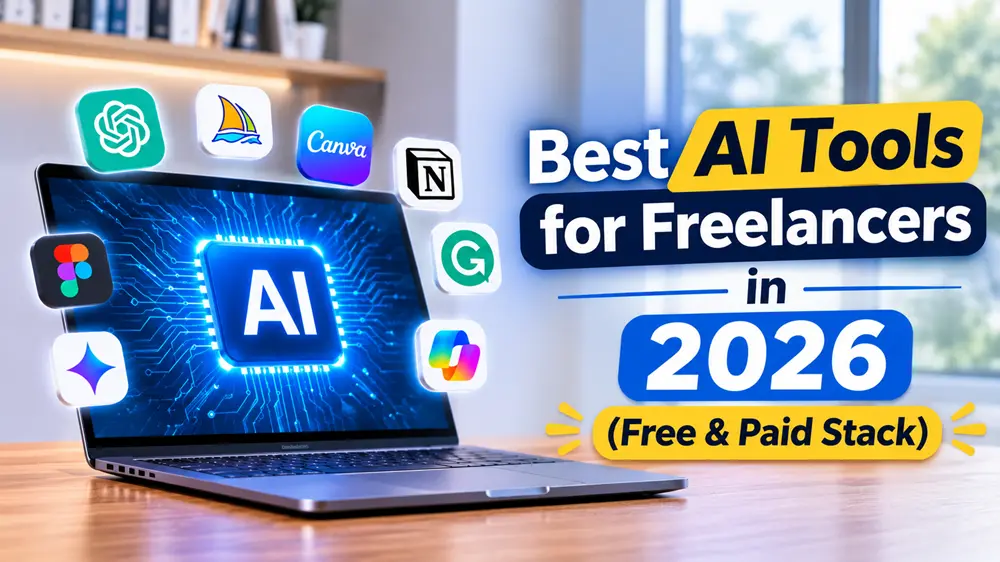
Quick answer: The best AI tools for freelancers in 2026 are ChatGPT or Claude for writing and research, Grammarly for polishing, Canva for design, Otter.ai for client calls, and Zapier or Make for automation. Start with one writing assistant. Add the rest only when a real task slows you down.
Most freelancers do not have a tool problem. They have a “too many tools” problem.
You sign up for five apps in a week. You use two. You pay for all five. Then the month ends and your profit looks smaller than it should.
This guide keeps things simple. You will see which AI tools are actually useful for freelance work, what they cost, and how to build a stack that fits your budget.
If you are still at the starting line, read our guide on how to start freelancing for beginners first. Then come back here.
Quick Picks: Best AI Tools for Freelancers
Task | Best tool | Free option? |
Writing and research | ChatGPT or Claude | Yes |
Polishing emails and drafts | Grammarly | Yes |
Design and portfolios | Canva | Yes |
Client call notes | Otter.ai | Yes (limited minutes) |
Automation | Zapier or Make | Yes (limited) |
Organizing projects | Notion | Yes |
Invoices and expenses | QuickBooks or similar | Trial only |
Prices change often. Check each tool’s pricing page before you pay.
Why Freelancers Use AI Now
Clients do not pay you for hours. They pay for results. AI helps you reach those results faster.
Think about a normal week. You write proposals, reply to emails, research a client’s industry, make a few graphics, and chase one late invoice. None of that is your real skill. It is the work around your skill.
AI handles a big part of that side work. Your time goes back to the work clients actually pay for.
One warning, though. AI does not replace expertise. Freelancers who win good clients pair a real skill with smart tool use. The tool alone is not the product.
1. ChatGPT: Best All-Rounder
ChatGPT is where most freelancers start, and that makes sense. It drafts, brainstorms, summarizes, and explains almost anything.
Use it for:
- First drafts of proposals and cold emails
- Research summaries before a client call
- Outlines for articles, scripts, or reports
- Rewriting your own text in a different tone
The free plan covers light use. The paid Plus plan costs around $20 a month and gives you higher limits. New to it? Our ChatGPT for beginners guide walks through setup, and these 50 ChatGPT prompts will save you time on day one.
Skip it if: You only need help a few times a month. The free plan is enough.
2. Claude: Best for Long Documents and Editing
Claude handles long text well. If you edit big documents, review contracts, or rewrite long articles, it is worth testing next to ChatGPT.
Many freelancers use both. One for quick brainstorming, the other for careful editing. Paid plans sit around the same price as ChatGPT Plus, so pick one first. Run the same real task through each and keep the one you like.
3. Grammarly: Best for Final Polish
AI drafts often carry small errors and a stiff tone. Grammarly catches both.
It works inside Gmail, Google Docs, and most browsers, so you do not have to copy and paste. That makes it a good last check before anything goes to a client.
The free version fixes spelling and basic grammar. Paid plans add tone and clarity suggestions. For most beginners, free is enough.
4. Canva: Best for Design Without a Designer
Not every freelancer can design. Clients still expect clean visuals, though.
Canva gives you templates and AI image tools for pitch decks, social posts, invoices, and portfolio pages. Want more image options? See our list of the best AI image generators.
If you sell design work, Canva is a starting point, not a finished service. Add your own style.
5. Otter.ai: Best for Client Calls
Taking notes while talking to a client is hard. You miss details. Then you ask the client to repeat things, which looks unprofessional.
Otter.ai records and transcribes your calls, then sums up the key points. The free plan gives you a limited number of minutes each month, which is enough for a few calls a week. Always ask for permission before recording a client.
6. Zapier or Make: Best for Automation
Automation sounds technical. It is not.
It simply means one app triggers another. A new client fills out your form, and a task appears in your project board. An invoice is paid, and you get a message.
Zapier is easier for beginners. Make is cheaper at scale and handles complex flows better. Start with one simple automation and build from there.
7. Notion: Best for Organizing Your Work
Notion is a flexible workspace for notes, tasks, client details, and content calendars. Some AI features now sit in higher-priced plans, so check what your plan includes before counting on them.
You only need it if you are already disorganized. A simple spreadsheet works fine too.
AI Tools for Specific Freelance Jobs

Your best tool depends on what you sell.
Freelance writers: A writing assistant, Grammarly, and a plagiarism checker. Read our post on freelance writing jobs for beginners and compare options in the best AI writing tools.
Video editors and YouTubers: An AI script helper and a video tool. See the best AI video generators and AI tools for YouTubers.
Social media managers: A scheduler plus a caption helper. Check the best AI tools for social media management.
SEO and blog freelancers: Keyword and content tools. Start with AI SEO tools for bloggers.
Job seekers moving into freelance: A clean profile and resume help a lot. Try these AI resume builders.
How Much Should You Spend?
Here is a simple way to decide.
Stage 1: $0 per month. Use the free plans of ChatGPT or Claude, Grammarly, and Canva. This is enough to land your first clients.
Stage 2: about $20 per month. Upgrade one writing assistant. Keep everything else free.
Stage 3: $40 to $60 per month. Add a design plan, a transcription plan, or automation once your income is steady.
A good rule: pay for a tool only after it saves you more time than it costs. If you cannot say what it saves, cancel it.
For more no-cost options, see our list of best free AI tools for beginners.
A Simple Weekly Workflow
Here is how these tools fit together in real life.
- Monday: Use your AI assistant to research three new client leads.
- Tuesday: Draft proposals with AI, then rewrite them in your own voice.
- Wednesday: Join client calls with Otter.ai running. Review the summary after.
- Thursday: Do the actual client work. Use AI for outlines and checks only.
- Friday: Send invoices and update your task board.
Notice that AI never does the final step alone. You review everything.
Mistakes to Avoid
Sending raw AI text. Clients can tell. Edit every draft until it sounds like you.
Sharing private client data. Do not paste confidential files into any tool without checking its privacy settings.
Stacking too many tools. Three tools you use daily beat twelve you forget.
Not disclosing when needed. Some clients and platforms have AI rules. Read the contract and platform terms before you deliver.
Ignoring taxes. More income means more to report. Our guide on freelance taxes for beginners covers what you owe.
Where to Find Clients Once Your Stack Is Ready
Tools help you work faster, but you still need clients. These two guides will help:
If you are still choosing a skill to sell, read best freelancing skills to learn in 2026. For wider ideas, see how to make money with AI and the best AI tools to make money online.
Frequently Asked Questions
What is the best AI tool for freelancers?
ChatGPT or Claude is the best starting point for most freelancers. Both handle writing, research, and client communication. Try each on a real task and keep the one that fits your style.
Are there free AI tools for freelancers?
Yes. ChatGPT, Claude, Grammarly, Canva, and Otter.ai all have free plans. They have limits, but they are enough to start.
How much do AI tools for freelancers cost?
You can start at $0. A solid paid stack usually lands between $20 and $60 a month, depending on your work.
Can AI replace freelancers?
AI can replace simple, repetitive tasks. It does not replace judgment, taste, or client relationships. Freelancers who use AI well tend to deliver faster, not disappear.
Do I need to tell clients I use AI?
It depends on your contract and the platform. When in doubt, be open about it. Most clients care about quality and deadlines more than the tools behind them.
Which AI tool is best for freelance writers?
A writing assistant like ChatGPT or Claude, plus Grammarly for editing. Always add your own voice and check facts yourself.
Final Thoughts
You do not need ten tools to freelance with AI. You need one good assistant, one polish tool, and a clear process.
Start free. Learn what slows you down. Then pay for the one tool that fixes it.
If you want the full path from zero to first client, begin with how to start freelancing for beginners and build from there.